
5 Ways Creators Can Use AI Sound Effects to Build Better Audio Without a Sound Designer
AI sound effects tools now support multi-sound prompts and layered audio. Here's how podcasters, YouTubers, and creators can use them to replace expensive sound libraries and freelance sound designers.
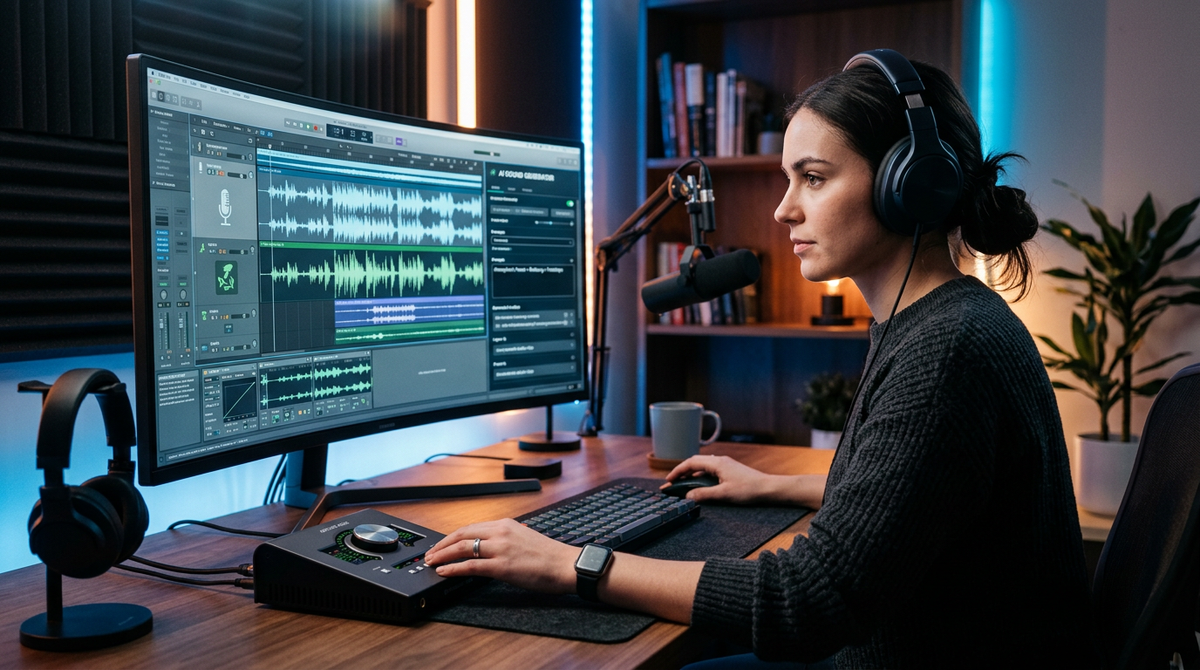
5 Ways Creators Can Use AI Sound Effects to Build Better Audio Without a Sound Designer
You've spent three hours editing a YouTube video. The visuals are tight, the script is sharp, the pacing works. Then you hit the part where you need a transition sound — something between a subtle whoosh and a soft chime — and you fall into a black hole of royalty-free sound libraries, clicking through hundreds of clips that are either too cheesy, too aggressive, or weirdly compressed. Forty-five minutes later, you've settled for something that's "fine."
Sound design is the invisible backbone of good content. It's also one of the most tedious, expensive, and underappreciated parts of any creator's workflow. Hiring a freelance sound designer can easily cost more than a solo creator's entire production budget for a single project. Premium sound libraries add another recurring monthly expense. And even then, you're scrolling through someone else's catalog hoping to find something that matches the mood in your head.
That's changing. AI-generated sound effects have reached a point where they're genuinely useful for creators — not just as novelty toys, but as real production tools. ElevenLabs shipped SFX v3 at the end of October 2026, representing a meaningful step forward in AI-powered audio generation for creators. The tool's capabilities — including the ability to describe layered soundscapes in a single text prompt — make it possible to get back something that actually sounds composed, not just generated.
This isn't about replacing Hans Zimmer. It's about giving a solo podcaster or a two-person YouTube team the ability to produce professional-sounding audio without a sound design budget.
Here are five practical ways to use AI sound effects in your content workflow — with real prompt examples, honest limitations, and a process you can start using today.
1. Build Layered Soundscapes for Podcasts and Video Essays
If you produce narrative podcasts, documentary-style YouTube videos, or any content that tells a story, ambient soundscapes do enormous heavy lifting. They set mood, signal scene changes, and keep listeners engaged during longer segments. The problem is that building a good soundscape traditionally requires layering multiple audio files — rain, distant thunder, a creaking door, wind through trees — adjusting volumes, adding fades, and hoping it all blends naturally.
Multi-sound prompts change this. Instead of sourcing four separate audio clips and manually mixing them, you describe the entire scene in one prompt and get a cohesive result.
Prompt examples you can adapt:
For a true crime podcast scene-setter:
"Quiet suburban neighborhood at night. Distant dog barking, occasional car passing slowly, crickets, faint wind through trees. Slightly eerie but not horror-movie dramatic."
For a travel video ambient bed:
"Busy outdoor café in a Mediterranean city. Clinking glasses, murmured conversation in the background, a distant church bell, light breeze. Warm and inviting."
For a history channel explainer:
"Medieval marketplace. Crowd murmur, wooden cart wheels on cobblestone, blacksmith hammering in the distance, occasional horse whinny. Lively but not chaotic."
The key here is specificity. Don't just say "forest sounds." Say "dense Pacific Northwest forest, light rain on canopy, no wind, a single bird call every few seconds, stream flowing nearby." The more concrete your description, the more usable the output.
How to work this into your process:
- Before you start editing, list every scene or segment in your episode that needs ambient audio.
- Write a one-sentence description of the mood and setting for each.
- Expand each sentence into a multi-sound prompt (aim for 15–30 words).
- Generate 2–3 variations per prompt.
- Drop the best one into your timeline and adjust volume levels.
This alone can save significant time per episode if you were previously hunting through sound libraries. For podcasters producing weekly content, that time savings compounds quickly over the course of a year — potentially dozens of hours saved on ambient audio alone.
2. Generate Custom Intro and Outro Music That Actually Fits Your Brand
Here's a frustration every creator knows: your intro music defines your brand, but finding the right track is miserable. Stock music libraries are full of tracks that sound like they belong on a corporate training video or a 2015 vlog. You want something specific — maybe an upbeat acoustic guitar riff with a subtle electronic pulse, 8 seconds long, that resolves cleanly so you can cut to your voice. Good luck finding that in a library of hundreds of thousands of tracks.
AI audio generation lets you describe exactly what you want and iterate until you get it right. You're not browsing. You're directing.
Prompt examples:
For a tech review channel:
"Short, modern electronic intro. Clean synth melody, subtle bass pulse, confident but not aggressive. 8 seconds, clean ending."
For a cooking channel:
"Warm acoustic guitar with light percussion. Cheerful, homey, slightly jazzy. 10 seconds, gentle fade out."
For a business podcast:
"Minimal piano with soft ambient texture. Professional, calm, slightly optimistic. 6 seconds, resolves on a major chord."
Once you find a style that works, save your prompt and use it as a template. Need a variation for a special episode? Tweak two or three words. This is dramatically faster than commissioning custom music or scrolling through stock music libraries for the fifteenth time.
If you're building a full content brand across platforms, having consistent audio identity matters. An AI music generator can help you create variations on a theme — a shorter cut for Instagram Reels, a longer version for YouTube, a stripped-down version for your podcast — all from the same creative direction.
A practical workflow for batching intro/outro music:
- Write your "brand sound" in one sentence. (Example: "Warm, slightly retro, confident, not corporate.")
- Generate 5–10 variations using different prompt wording.
- Pick your top 2–3.
- Create shorter cuts (3-second, 6-second, 10-second) for different platforms.
- Save them in a folder labeled by length and use case.
- Revisit quarterly — your brand sound might evolve, and regenerating takes minutes, not hours.
3. Create Transition Effects That Don't Sound Like Everyone Else's
Transition sounds are the connective tissue of edited content. A well-placed whoosh, a subtle riser, a soft "click" between segments — these tiny audio moments make your content feel polished. But because most creators pull from the same handful of free sound packs, a lot of YouTube content sounds identical. You've heard the same swoosh transition in a thousand videos.
AI-generated transitions let you create something that's yours. More importantly, you can describe the exact energy and texture you want rather than settling for whatever's available.
Prompt examples:
Soft topic change:
"Gentle transition sound. Soft chime with a brief airy sweep, like turning a page. 1.5 seconds."
Energetic segment shift:
"Quick, punchy transition. Short electronic zap with a subtle bass thump. Confident, modern. Under 1 second."
Dramatic reveal:
"Building tension riser, 3 seconds, ending with a deep bass drop and brief silence. Cinematic but not over the top."
The trick with transitions is to generate a set of 5–8 that share a sonic family — similar texture, similar energy levels, but slightly different — and use them consistently across your content. This creates a subtle audio brand that viewers recognize even if they can't articulate why your videos "feel" more professional.
For creators who also work with AI video generation, pairing custom transition sounds with visual transitions creates a cohesive experience that stock assets rarely achieve.
4. Produce Ambient Audio Beds for Social Media Content
Short-form content on Instagram, TikTok, and YouTube Shorts has a different audio challenge than long-form. You're not building a soundscape for immersion — you're creating a vibe in 3 seconds. Background audio needs to hit immediately, support the visual without competing with voiceover, and loop cleanly if the clip is short.
This is where AI sound effects actually outperform traditional libraries for many creators. You can specify exact duration, exact mood, and exact intensity level — things that are hard to filter for in a library of pre-made clips.
Prompt examples:
For a product showcase Reel:
"Soft, luxurious ambient pad. Warm, slightly sparkling, minimal movement. 15 seconds, seamless loop."
For a fitness motivation clip:
"Driving, energetic background pulse. Electronic, bass-heavy, building intensity. 10 seconds."
For a calming "day in my life" vlog:
"Lo-fi ambient texture. Warm vinyl crackle, very soft piano notes, gentle. 20 seconds, loop-friendly."
Batching workflow for social content:
If you're producing 3–5 short-form pieces per week, batching your audio saves enormous time:
- Plan your week's content themes on Monday.
- Write audio prompts for each piece — aim for one ambient bed and one transition per clip.
- Generate all audio in one session (15–20 minutes).
- Organize files by content piece in your project folder.
- When you sit down to edit, your audio is already waiting.
This is the kind of workflow efficiency that matters when you're a solo creator or a small team. You're not spending creative energy on audio sourcing during your editing session — you've already handled it. If you're looking for more ways to streamline your production process, the AI for content creators resource page walks through several workflows beyond just audio.
5. Build Episode-Specific Sound Kits for Series Content
This is where AI sound effects go from "nice to have" to genuinely transformative for creators who produce series content — whether that's a 20-episode podcast season, a YouTube documentary series, or a weekly show with recurring segments.
Traditionally, if you wanted consistent, custom audio across a series, you'd either hire a sound designer for the whole run (expensive) or build a kit from stock audio at the start and reuse it (limiting). AI generation gives you a middle path: you can create a base kit and then generate episode-specific variations without losing sonic consistency.
Here's how to build a series sound kit:
Define your sonic palette. Write 3–5 sentences describing the overall sound of your series. Is it warm and acoustic? Cold and electronic? Cinematic? Minimal? This becomes your reference document.
Generate your recurring elements. Intro music, outro music, segment transitions, "breaking news" stingers, interview intros — anything that repeats every episode. Generate these first and finalize them before you start producing episodes.
Create episode-specific ambient audio. For each episode, write 2–4 prompts for ambient beds or scene-setting audio that match the episode's topic but stay within your sonic palette.
Build a naming convention. Something like:
S01E03_ambient_interview_warm.wav. When you're 15 episodes deep, you'll thank yourself.Store your prompts alongside your audio files. If you need to regenerate or create a variation six months later, you want the exact prompt that produced the original.
This last point is something most creators skip, and it costs them later. Your prompts are your recipes. Losing them means starting from scratch when you need a variation or a longer cut of something that worked.
For YouTubers building a channel, this kind of audio consistency is what separates hobbyist content from something that feels like a real show. Viewers might not consciously notice your audio branding, but they absolutely feel it.
What AI Sound Effects Still Get Wrong
I'd be doing you a disservice if I painted this as a perfect solution. AI-generated audio has come a long way, but there are real limitations you should know about before you build your workflow around it.
Timing precision is inconsistent. If you ask for a "3-second transition," you might get 2.7 seconds or 3.4 seconds. For most use cases this is fine — you'll trim in your editor anyway. But if you need frame-accurate audio for tightly synced video, expect to do manual adjustments.
Complex musical compositions still sound generated. Simple melodic phrases, ambient textures, and rhythmic loops sound great. A full arrangement with multiple instruments, dynamic changes, and harmonic complexity? It's getting better, but it doesn't match a human composer or even a high-end stock music track. Use AI for beds and textures, not for your channel's signature orchestral theme.
Vocal sounds are hit-or-miss. If your prompt includes crowd murmur or distant conversation, the results are usually convincing. Specific vocal sounds — a child laughing, a vendor calling out — can sound uncanny. Test carefully before using vocal elements in anything where realism matters.
Looping isn't always clean. Even when you specify "seamless loop," the start and end points don't always match perfectly. Budget an extra minute per clip to check loop points and add crossfades in your editor.
You still need an ear. AI generates options. You still need to listen critically, pick the best take, and make editorial decisions about volume, placement, and layering. The tool replaces the sourcing step, not the creative judgment step.
None of these are dealbreakers. They're just the reality of where the technology is right now. For 80% of creator audio needs — ambient beds, transitions, simple music, sound effects — AI generation is genuinely production-ready. For the other 20%, you'll still want human-made audio or at minimum heavy human editing of AI output.
Common Mistakes When Using AI Audio in Your Workflow
After watching creators adopt these tools over the past year, a few patterns keep showing up:
1. Prompts that are too vague. "Cool background music" gives you something generic. "Mellow lo-fi beat with soft Rhodes piano, brushed drums, and warm bass, 90 BPM" gives you something usable. Treat your audio prompts like you'd treat a brief for a freelancer — the more specific, the better.
2. Using the first generation without iterating. Your first output is a draft, not a final product. Generate 3–5 variations, pick the best elements, and refine your prompt. The second or third attempt is almost always better than the first.
3. Over-layering. Just because you can describe 8 sounds in one prompt doesn't mean you should. Cluttered audio is worse than simple audio. Start with 2–3 elements per soundscape and add complexity only if the content demands it.
4. Ignoring volume balance. AI-generated audio often comes out at a consistent volume level. In your final mix, ambient beds should sit well below your voice — typically 15–20 dB lower. If listeners can consciously hear your background audio, it's probably too loud.
5. Not saving prompts for reuse. I mentioned this above, but it bears repeating. Build a prompt library. A simple spreadsheet with columns for prompt text, use case, rating, and file name will save you hours over the course of a content season.
For more workflow patterns and step-by-step guides like this, the guides section of the blog covers a range of AI-powered creative workflows.
Your 10-Minute Quick Start
You don't need to overhaul your entire audio workflow today. Here's how to test this in the next 10 minutes:
- Pick one piece of content you're currently working on.
- Identify one audio need — a transition sound, an ambient bed, or an intro jingle.
- Write a prompt using the format: [mood] + [specific sounds] + [duration] + [energy level].
- Generate 3 variations.
- Drop the best one into your timeline.
- Listen in context. Does it work? Adjust the prompt and regenerate if needed.
That's it. One sound, one piece of content, ten minutes. If it saves you time and sounds good, expand from there.
Why Consolidating Your AI Tools Matters
Here's something that doesn't get talked about enough in creator productivity: tool fragmentation is a silent time killer. You're using one app for writing scripts, another for generating images, a third for audio, a fourth for video clips, and somehow keeping track of logins, credits, and file exports across all of them.
Every tool switch costs you context. Every new interface costs you learning time. Every separate subscription costs you money that adds up faster than you'd expect.
This is why an all-in-one AI platform that handles text, images, video, music, and more in a single workspace is worth considering — not because any single feature is necessarily the absolute best in its category, but because the friction reduction compounds over dozens of projects. When you can go from script to image to audio to video without leaving one dashboard, your creative momentum stays intact.
For creators producing content across multiple formats and platforms, that consolidation isn't a luxury. It's the difference between publishing consistently and burning out.
The Bigger Picture for Creator Audio
AI sound effects aren't going to make sound designers obsolete. High-end productions, film, gaming, and premium podcasts will continue to need human expertise for complex, emotionally nuanced audio work.
But for the vast majority of creators — the people making YouTube videos in their spare bedroom, recording podcasts at their kitchen table, building a brand on Instagram with a phone and a ring light — AI audio tools remove a genuine bottleneck. You no longer need a large budget or specialized skills to have professional-sounding audio in your content.
The creators who will benefit most are the ones who treat these tools like what they are: assistants, not replacements. Use AI to handle the repetitive, time-consuming sourcing work. Apply your own taste, judgment, and creative vision to the final product. That combination — human direction plus AI execution — is where the real leverage is.
Try Gab AI
Try Gab AI for uncensored chat, real-time web search, and high-quality content generation.



