
Mobile
iPhone & iPad
Ask a question, dictate a message or pick up a conversation on your iPhone or iPad.
- Continue your conversations
- Dictate a message
- Create with available media tools
- Requirements
- iOS 16+ · iPadOS 16+

Official Gab AI apps
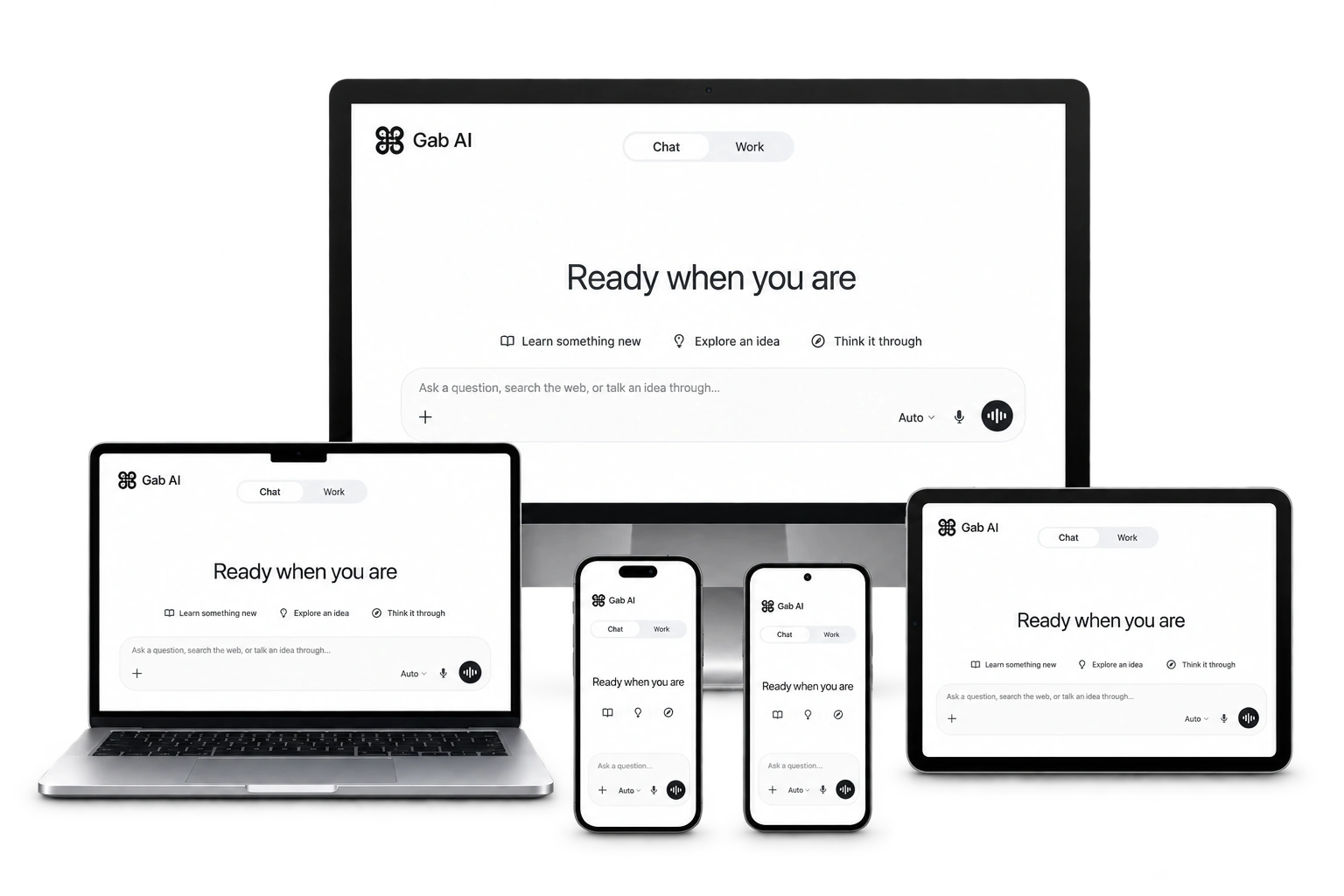
Keep Gab AI close on your phone, tablet or computer. Chat, write, research and create with the same account wherever you sign in.
Free to install · Sign in with your Gab AI account
Mobile
Ask a question, dictate a message or pick up a conversation on your iPhone or iPad.
Mobile
Chat, create media and keep your conversations close on your Android phone.

Desktop / direct download
Bring AI to your files and projects, with optional access to the folders and apps you choose.
Version 1.1.20 (182)
Mac setup and edition guideDesktop
Write, research and work with project files on your PC using the official Windows app.

No installation
Open Gab AI in your browser to chat, write, research and create without installing an app.
Ask a quick question on your phone, work through a document on your computer or keep AI beside an article in your browser. Choose the app that fits how you want to use Gab AI.
Match the installation to your task
| Choice | What to know |
|---|---|
| Chat or create media | Use the web, iPhone/iPad, Android, Windows or Mac app for Chat and available media tools. |
| Work with local project files | Use a compatible Windows or direct-download Mac app with a connected folder. Local Work requires Plus. |
| AI beside a browser page | Open the Chrome or Brave extension for side chat and readable page questions. |
| Continue computer project Work on a phone | Pair the phone app with an awake, online Windows or direct Mac host and choose the shared projects. |
One account
You are not juggling separate mobile and desktop products. Sign in anywhere and the workspace you left is the workspace you get.
Import chats from ChatGPTPick up a chat on your phone where you left it on your Mac or Windows PC.
Preferences and facts you teach the AI follow you across devices.
Images on your laptop and voice on your phone draw on the same pool.
Uploads, decks, and documents stay in the library you already have.
Local folder and browser access are set up on each computer. Installing another app does not add another credit allowance or subscription.
iPhone and iPad require iOS/iPadOS 16+. The direct Mac app requires macOS 12+, with macOS 14+ for browser and app control. Windows targets Windows 10 version 2004+ and Windows 11. Check the official store listing for your device and region, including Android compatibility. Store apps update through Apple, Google or Microsoft. The direct Mac app has its own updater, and the browser extension updates separately through its browser store.
Yes. Install the app for free and sign in with your Gab AI account. New verified accounts receive signup credits; model and tool usage follows your plan and credit balance. Work and live Voice require Plus. Installing another app does not add credits. See pricing for the current offer.
An internet connection is needed for AI requests. Connecting files on your computer does not run the AI model offline.
Features differ by platform and edition. Use the Mac or Windows setup guide for local projects, browser access and Remote, and check the store listing for device eligibility.
Use Gab AI on the web or a supported desktop browser extension. This page does not offer a native Linux or Chromebook installer.
Check that you used the same Gab AI account and sign-in method. Finish browser sign-in and return to the app before starting another subscription.
Manage it through the channel where you subscribed: Apple, Google or your web account’s billing controls. Uninstalling the app does not cancel the subscription.
Find installation instructions, account guidance and walkthroughs to help you get started.
WELCOME TO GAB AI FOR MAC
Your download should begin shortly. Here’s how to make yourself at home.
Drag over. Settle in.
Find the Gab AI .dmg file in Downloads and double-click it to open the installer.
Drag Gab AI onto the Applications folder in the installer window. Wait for the copy to finish.
Open Gab AI from Applications. Choose Open if macOS asks, then sign in to your account.
Once Gab AI is in Applications, eject the installer in Finder. You can then delete the DMG. Connect folders and browser access when you’re ready.
Choose an app for your device, sign in and pick up your next conversation.
