
Run a Powerful 27B AI Model on Your Own Machine for Free: A Practical Guide
A 27-billion-parameter AI model squeezed to under 8GB — and it runs on hardware you might already own. Here's exactly how to set it up, what it's good at, and where it falls short.
Run a Powerful 27B AI Model on Your Own Machine for Free: A Practical Guide
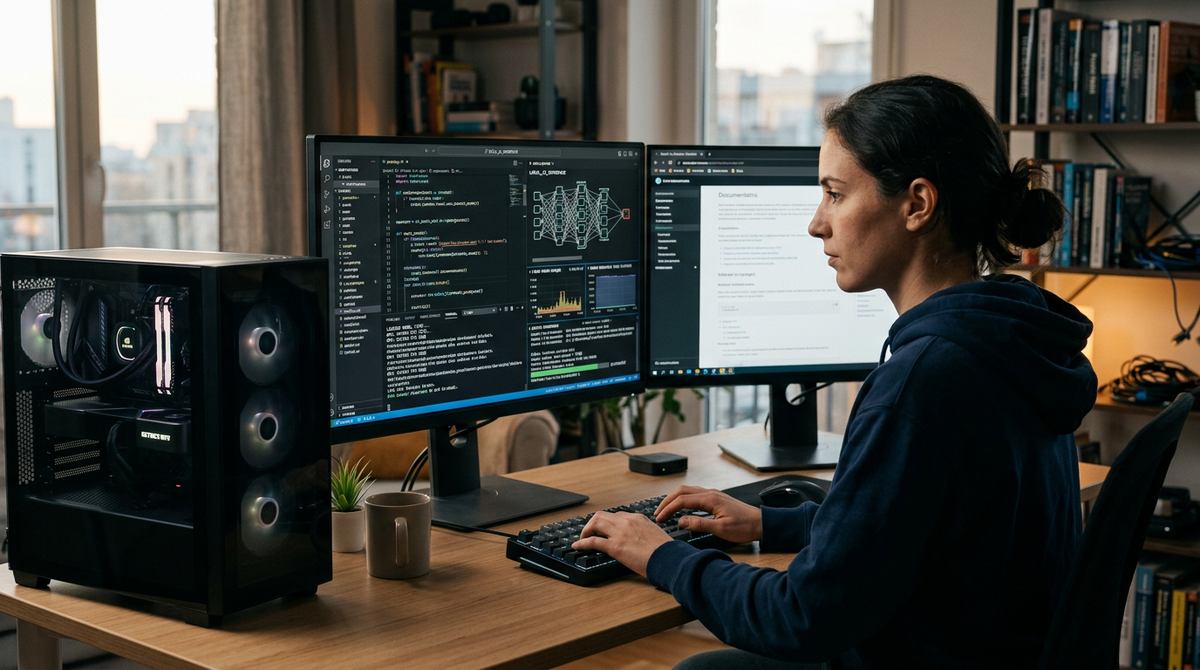
Here's something that would have sounded absurd eighteen months ago: a 27-billion-parameter AI model — the kind of thing that used to require a data center — now fits in under 8 gigabytes and runs on a decent laptop.
No subscription. No cloud account. No data leaving your machine. Ever.
The model is called Underdog Saluki 27B, and it just landed on Hugging Face. It's a quantized version of Qwen3.8-27B, compressed down to 7.89GB with tool-calling capabilities still intact — and it handles business writing and general reasoning surprisingly well.
If you're a freelancer tired of monthly AI bills, a small business owner who doesn't want client data floating through someone else's servers, or just someone who likes the idea of owning your AI tools outright, this guide is for you. We'll walk through what you actually need, how to set it up step by step, what it's genuinely good at, and where you're better off using a cloud alternative.
Why Running AI Locally Matters Right Now
There's a quiet shift happening in AI that doesn't get the headlines. While the big companies race to build ever-larger cloud models, a parallel movement is making powerful AI run on personal hardware.
Three things are converging:
Privacy concerns are growing. As AI agents become more capable and more deeply integrated into workflows, questions about what happens to data sent to cloud services are becoming harder to ignore. When you run a model locally, your prompts and outputs never touch the internet. Period. That's not a marketing claim; it's how the technology works. Your data stays on your hardware, under your control.
Compression techniques have gotten remarkably good. Underdog Saluki 27B uses GGUF quantization (don't worry about the acronym — it just means "smart compression") to shrink a full-sized model into something that fits on a thumb drive. The quality loss is real but surprisingly manageable for most practical tasks. The fact that a 27-billion-parameter model can be squeezed to under 8GB and still retain useful capabilities like tool calling is a testament to how far quantization methods have come.
The tooling has matured. A year ago, running a local model meant wrestling with Python dependencies, CUDA drivers, and cryptic error messages. Today, tools like llama.cpp give you a clean, straightforward path from download to working AI assistant.
Perplexity recently open-sourced late-interaction embedding models, adding to the growing ecosystem of open models designed to be lightweight and accessible. The direction is clear: powerful AI is moving toward your hardware, not away from it.
For anyone exploring AI for small business, this trend is worth paying attention to. The cost savings alone can be significant — but the privacy advantage is what makes it genuinely compelling.
What Hardware Do You Actually Need?
Let's be honest about this, because most guides either oversell what's possible on weak hardware or assume everyone has a gaming PC.
Here's the realistic breakdown for Underdog Saluki 27B at its 7.89GB size. Note that exact performance will vary depending on your specific hardware, operating system, and other running applications — these are general expectations based on typical consumer hardware, not benchmarked guarantees:
The Minimum (It'll Work, But Slowly)
- RAM: 16GB system memory
- Storage: 15GB free (for the model file plus overhead)
- CPU: Any modern quad-core (Intel i5/AMD Ryzen 5 from 2020 or later)
- GPU: Not strictly required — llama.cpp can run on CPU only
At this level, expect noticeably slow generation. CPU-only inference on a quantized 27B model will produce text at a pace that's usable for writing tasks where you're not in a hurry, but frustrating for anything conversational. You'll want to test on your specific hardware to see if the speed is acceptable for your workflow.
The Sweet Spot
- RAM: 32GB
- GPU: Any NVIDIA card with 8GB+ VRAM (RTX 3060, 3070, 4060, etc.) or an Apple Silicon Mac with 16GB+ unified memory
- Storage: SSD (not a spinning hard drive — this matters more than you'd think)
This is where things get comfortable. GPU offloading makes a dramatic difference in generation speed — often several times faster than CPU-only inference. Apple Silicon Macs are particularly well-suited here because their unified memory architecture lets the GPU access the full system RAM, which is a meaningful advantage when running large models.
The Reality Check
If you have an older laptop with 8GB of RAM, this particular model isn't for you. You'd want to look at smaller models in the 3B-7B range, which are still useful for many tasks. Don't let anyone tell you that hardware doesn't matter — it does, and pretending otherwise just wastes your time.
Step-by-Step: Setting Up Underdog Saluki 27B With llama.cpp
Here's the actual process. I'm going to assume you're comfortable opening a terminal (Command Prompt on Windows, Terminal on Mac/Linux) but not much beyond that.
A quick caveat: llama.cpp is actively developed, so commands and flags may change between versions. If something below doesn't work exactly as written, check the official llama.cpp GitHub repository for the latest documentation.
Step 1: Install llama.cpp
On Mac (with Homebrew):
brew install llama.cpp
On Windows:
Download the latest pre-built release from the llama.cpp GitHub releases page. Unzip it to a folder you'll remember — something like C:\llama-cpp.
On Linux:
sudo apt update && sudo apt install build-essential cmake
git clone https://github.com/ggerganov/llama.cpp
cd llama.cpp && cmake -B build && cmake --build build --config Release
Step 2: Download the Model File
Go to Hugging Face and search for "Underdog Saluki 27B GGUF." You're looking for the quantized version — the file will be approximately 7.89GB.
Download the .gguf file. This will take a while depending on your internet speed. Put it somewhere sensible, like a dedicated models folder.
Step 3: Run a Quick Test
Open your terminal, navigate to where llama.cpp is installed, and run:
llama-cli -m /path/to/your/underdog-saluki-27b.gguf -p "Write a professional email declining a meeting request" -n 256
Replace /path/to/your/ with the actual path to your model file.
If text starts appearing in your terminal, congratulations — you're running a 27-billion-parameter AI model on your own hardware.
Step 4: Enable GPU Acceleration (If You Have a Compatible GPU)
To offload layers to your GPU for faster generation:
llama-cli -m /path/to/your/underdog-saluki-27b.gguf -ngl 35 -p "Your prompt here" -n 256
The -ngl 35 flag tells llama.cpp to offload 35 layers to the GPU. If you run out of GPU memory, reduce that number. If you have plenty of VRAM, increase it. Start at 35 and adjust based on what your system can handle.
Step 5: Run It as a Local Server (More Practical for Daily Use)
Running one-off commands gets old fast. For a more usable setup:
llama-server -m /path/to/your/underdog-saluki-27b.gguf -ngl 35 -c 4096 --port 8080
This starts a local web server. Open your browser to http://localhost:8080 and you'll get a chat interface. No internet required after setup. The -c 4096 sets the context window — how much text the model can "remember" in a conversation.
This is now your private, free AI assistant running entirely on your machine.
What Underdog Saluki 27B Is Actually Good At
Let's be specific, because "it's a good model" tells you nothing. The source material confirms that tool calling is intact after compression, which is notable. Beyond that, the following assessments are based on what you'd generally expect from a well-quantized 27B-parameter model — your mileage may vary, and you should test with your own tasks.
Business Writing and Communication
This is where models of this size and type tend to perform well. Drafting emails, writing proposals, creating meeting summaries, generating report outlines — a 27B-parameter model handles these tasks with a fluency that can be hard to distinguish from much larger cloud models, especially when the quantization is done carefully.
Try this prompt:
You are a business writing assistant. Draft a polite but firm email to a vendor explaining that their latest invoice contains a $2,400 discrepancy compared to the agreed contract terms. Keep the tone professional and suggest a call to resolve it.
Tool Calling and Structured Output
This is the genuinely notable part. Underdog Saluki 27B retains tool-calling capabilities even after compression. That means you can ask it to output structured data — JSON, function calls, formatted tables — and it should consistently follow the format.
For anyone building workflows or connecting AI to other software, this is a big deal. Many compressed models lose this ability, so the fact that it's preserved here is one of the model's key selling points.
Try this prompt:
Extract the following from this customer message and return it as JSON with keys "name", "issue", "urgency" (low/medium/high), and "preferred_contact":

"Hi, this is Maria Chen. My order #4892 arrived damaged and I need a replacement before Friday. Please call me at 555-0147."
Content Drafting and Brainstorming
For freelancers and creators, the model handles first drafts, outline generation, and brainstorming sessions well. It won't write a perfect final draft — no AI will — but it gives you solid raw material to work with.
Try this prompt:
I run a small landscaping business in the suburbs. Give me 5 blog post ideas that would attract homeowners searching for fall lawn care advice. For each idea, include a working title and three key points the post should cover.
Where It Falls Short (Be Honest With Yourself)
Quantization generally hits mathematical and complex reasoning capabilities harder than language capabilities. If you need an AI to work through financial calculations, statistical analysis, or multi-step logical problems, a compressed model is more likely to make mistakes than a full-precision cloud model. Test carefully before relying on it for anything numerical.
Also: it doesn't know anything that happened after its training cutoff. It can't browse the web. It can't access your files unless you explicitly paste the content into your prompt. These are fundamental limitations of any local model.
Common Mistakes People Make With Local LLMs
After watching people set these up, the same errors come up repeatedly.
Mistake 1: Expecting cloud-model speed on consumer hardware. A local 27B model on a mid-range laptop will never match the response speed of a cloud service running on clusters of high-end GPUs. If speed is critical for your workflow, a local model might serve as your private drafting tool while you use a cloud service for time-sensitive work.
Mistake 2: Skipping the GPU offloading step. Running entirely on CPU when you have a compatible GPU is like driving in first gear on the highway. The difference between CPU-only and GPU-accelerated generation is dramatic. Take the five minutes to configure it.
Mistake 3: Setting the context window too high.
That -c flag in the server command controls how much text the model holds in memory during a conversation. Setting it to 8192 or higher sounds great until your system runs out of memory and crashes. Start at 4096. Only increase it if you have RAM to spare and actually need longer conversations.
Mistake 4: Treating it as a replacement for everything. A local model is excellent for private, routine AI tasks. It's not a replacement for every AI capability. Complex image generation, video creation, music production, real-time web search — these require different tools. The smart approach is knowing which tool fits which job.
Mistake 5: Not testing with your actual work. Don't evaluate a model by asking it trivia questions or having it write poetry. Test it with the exact tasks you'd use it for. Paste in a real email you need to respond to. Give it an actual document to summarize. That's the only evaluation that matters.
Local AI vs. Cloud AI: When Each Makes Sense
This isn't an either/or decision. It's about matching the tool to the task.
Choose local when:
- You're working with sensitive client data, financial information, or anything you wouldn't want on someone else's server
- You want zero ongoing costs after setup
- You need AI access in places with unreliable internet
- You're doing repetitive tasks (email drafting, data formatting) where a slight quality tradeoff doesn't matter
- You simply value owning your tools
Choose cloud when:
- You need the highest possible quality for important outputs
- You need capabilities beyond text (image generation, video, music, code execution)
- Speed matters and your hardware is limited
- You want a polished interface without any technical setup
- You need multiple AI capabilities in one place
For most people, the practical answer is both. Run a local model for private, everyday tasks. Use a cloud-based all-in-one AI tool for everything else — especially when you need to create images, videos, or music alongside your text work.
If you're curious about what's available before committing to any setup, the free AI chat is a good way to experience cloud-based AI without spending anything.
Quick Start: What You Can Do in 10 Minutes
If you've read this far and want to get started without committing your whole afternoon:
- Check your RAM. Settings → About (Windows) or Apple Menu → About This Mac. If you have 16GB or more, you're in the game.
- Install llama.cpp. On Mac, it's one Homebrew command. On Windows, it's a download and unzip.
- Download the model. Search Hugging Face for the Underdog Saluki 27B GGUF file. Start the download — it'll take a bit.
- Run your first prompt. Use the
llama-clicommand from Step 3 above with a simple business writing task. - Evaluate honestly. Is the output good enough for your actual work? Is the speed acceptable on your hardware?
That's it. No account creation, no credit card, no terms of service. Just software running on your computer.
For more walkthroughs like this one, our guides and how-to section covers a range of practical AI topics for non-technical users.
The Bigger Picture: Why This Trend Matters
Underdog Saluki 27B isn't a one-off curiosity. It's part of a clear pattern.
Perplexity recently open-sourced late-interaction embedding models, contributing to a growing ecosystem of open, lightweight AI components. Projects like Talorys are letting people deploy personal AI agents to their own cloud accounts instead of trusting third-party servers. The open-source community is getting remarkably good at making big models small without destroying their usefulness.
What this means practically: the gap between what you can run privately and what requires a cloud subscription is shrinking every month. Tasks that demanded expensive cloud AI a year ago — structured data extraction, professional writing, tool-calling workflows — now work on a laptop in your living room.
That said, local models aren't going to replace cloud AI entirely. The most capable models still live in the cloud, and tasks like image generation, video creation, and music production need specialized infrastructure that doesn't compress down to a laptop. If you need those capabilities alongside your text work, an all-in-one AI tool that bundles text, images, video, and music generation makes more sense than stitching together five different services. You can compare what's available across every model in one subscription to see what fits your needs.
But for the core task of private, free, capable text AI? We're already there. The hardware requirements are reasonable. The setup is manageable. The quality is genuinely useful.
Wrapping Up
Running a 27-billion-parameter AI model on your own machine isn't a stunt anymore. It's a practical option with real advantages — especially around privacy and cost.
Underdog Saluki 27B proves that aggressive compression can preserve the capabilities that matter most for everyday business use: clear writing, structured output, and tool calling. It's honest about its weaknesses too — don't trust it with complex math, and don't expect it to replace a full cloud AI suite.
The best approach for most people is pragmatic: use local models where privacy and cost matter, use cloud tools where capability and convenience matter, and stop paying for subscriptions you don't need.
If you want the cloud side of that equation handled in one place — text, images, videos, music, and more without juggling multiple tools — start creating at https://gab.ai.
Try Gab AI
Try Gab AI for uncensored chat, real-time web search, and high-quality content generation.



